Football shirt
$9.78↗
Browse. Save. Build your shortlist.
Reference item price only. Shipping, service options and final checkout prices are separate.
Currency conversion is an estimate. Final charges are set at checkout. 2026-10-09
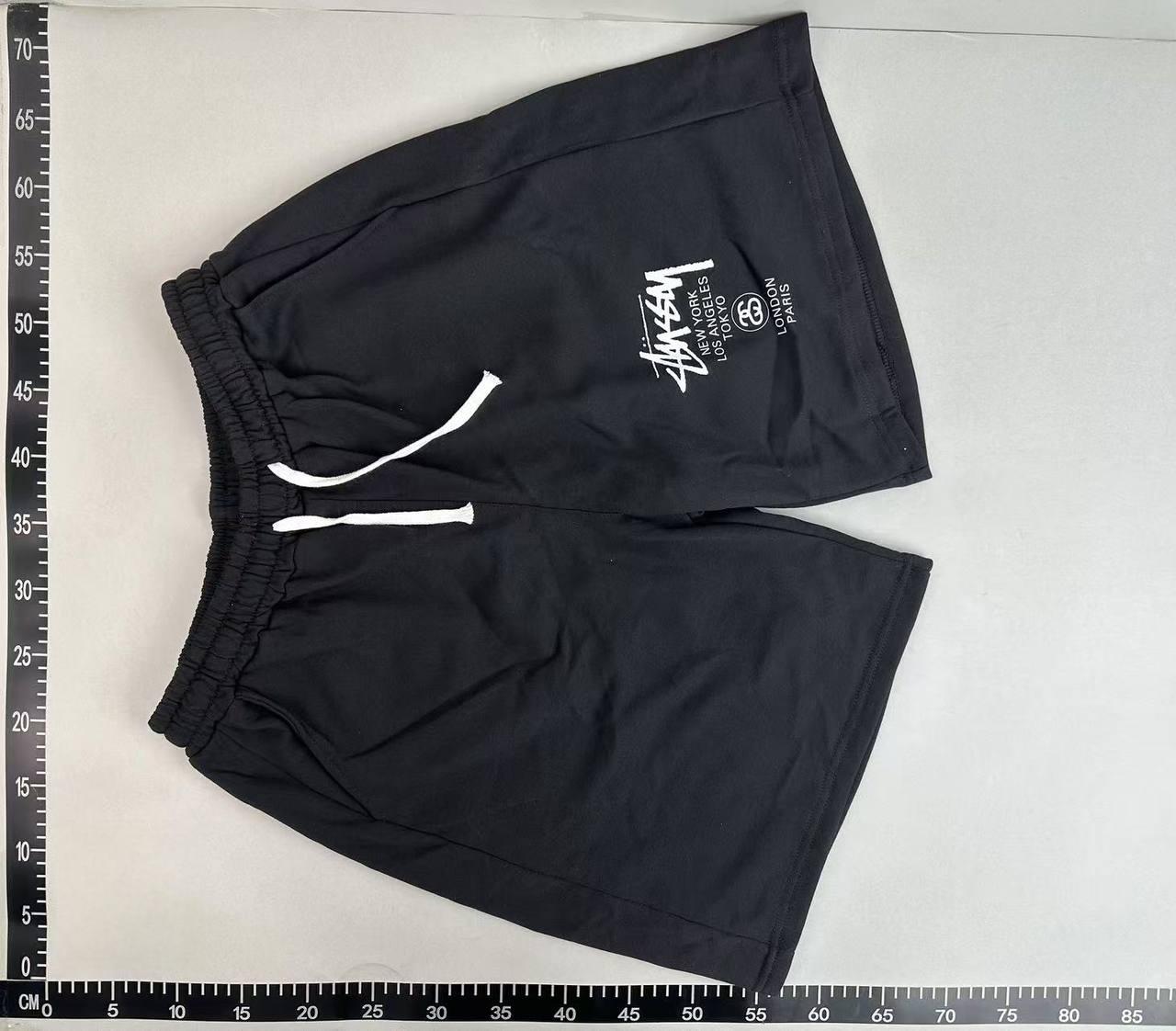
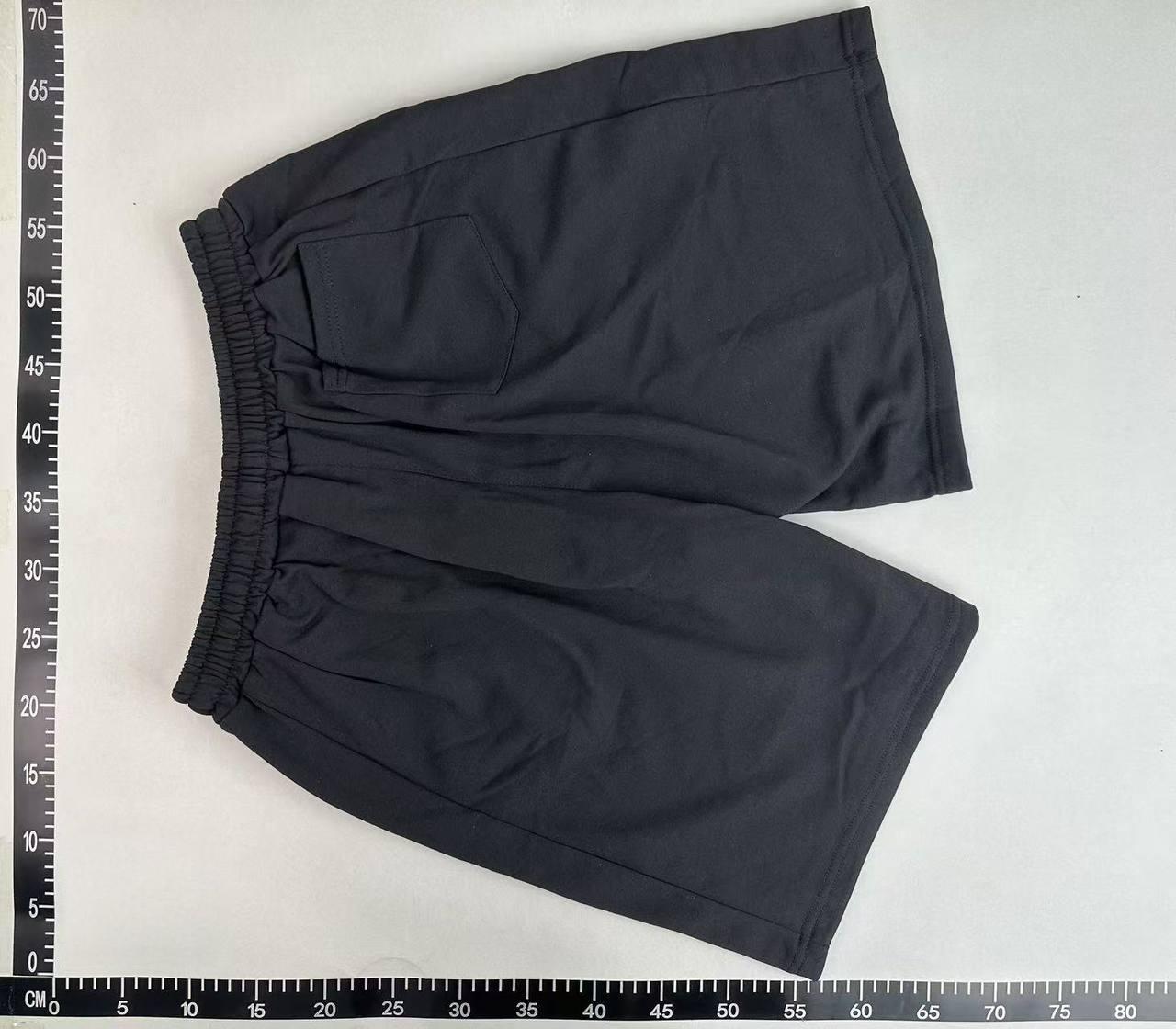
QC & reference photos
A closer look at one selected item, with front and back reference photos from the source gallery.
These photos come from the source product gallery. They may show an earlier item or batch; they are not a guarantee for your order. Check your own warehouse inspection before shipping.
Open product details ↗12 illustrated steps
From your first saved find to checking QC and receiving your parcel: follow the journey through this website and your Litbuy account.
Open the beginner guide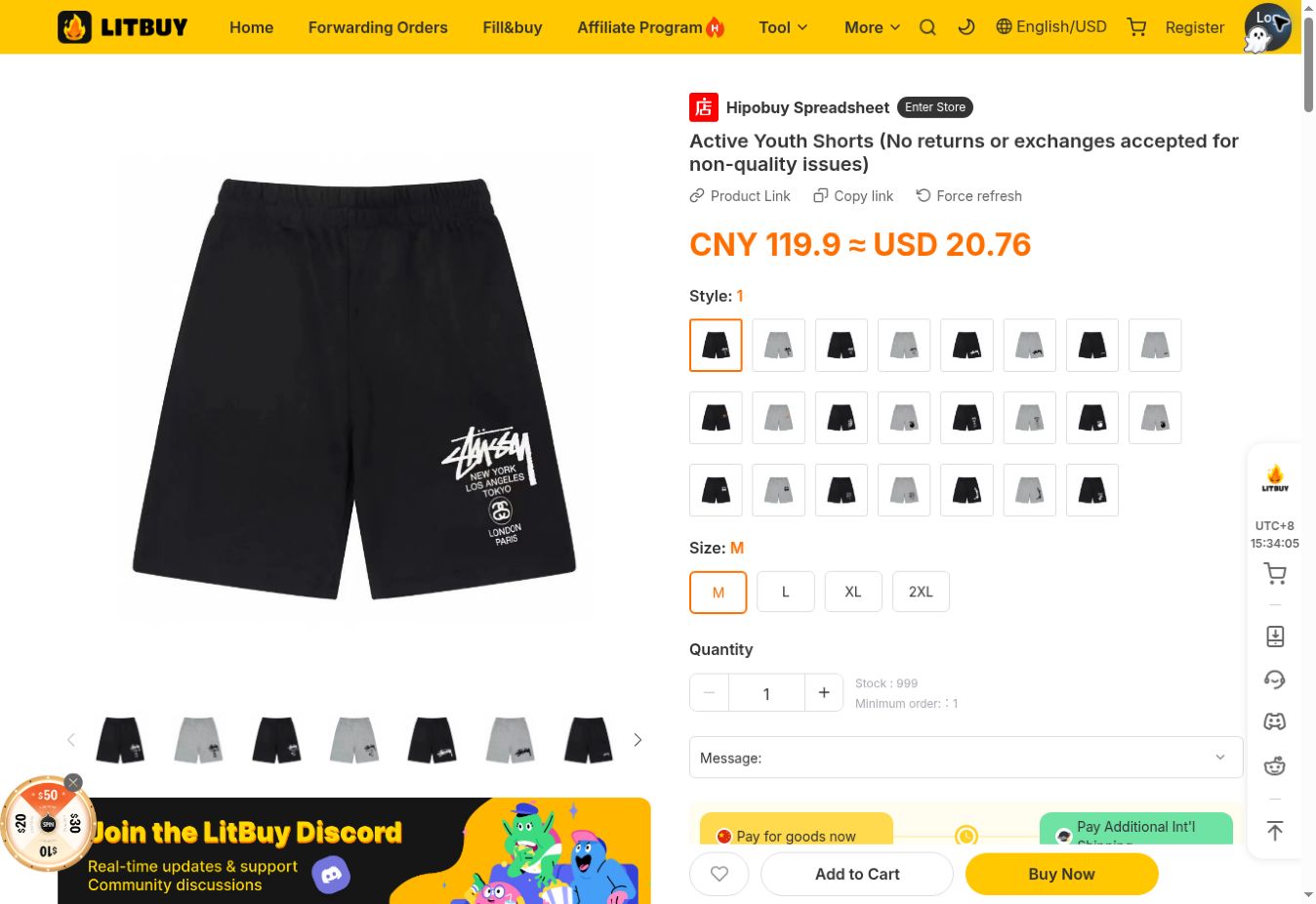
Real page · 13 Oct 2026
FAQ
Answers for the way this site works: browse, save, inspect and continue to Litbuy.
Sheetbook is an independent product directory, not Litbuy's official website or a checkout. Use it to browse products, compare source pictures and keep a shortlist. Orders, payments and warehouse services take place in your Litbuy account. Some outbound links are affiliate links; that does not make a saved product an order.
Start at the homepage and use one of the ten category links above the product grid. A category opens its own catalog page, where you can change the order to newest, lowest price or highest price. Open a product card to visit its independent details page. For our example, choose the shorts in the pants category. Product availability, variant prices and seller information can change, so a listing is a place to start your checks rather than a stock reservation.
The detail page gives you a place to check the item ID, seller gallery and available QC references before leaving this site. The View on Litbuy button then opens the matching listing. Opening the detail page does not select a variant, reserve stock or add anything to your Litbuy cart.
Yes. The language control changes the site's text, including product names, the guide and FAQs. The currency control separately converts reference prices and the shortlist subtotal. It is remembered in this browser. A display currency is not a promise that Litbuy will charge you in that currency or at the same exchange rate.
Use the bookmark icon on a product card. Saved products appear in the homepage shortlist and the Saved finds page. Click an active bookmark again, or use the × beside an item in the homepage shortlist, to remove it. These actions only edit your local list; they do not alter a Litbuy cart or order.
The subtotal adds the displayed reference price of one unit of each saved product. It does not account for multiple units, variant price changes, domestic or international shipping, optional services or taxes. Use it to compare a possible selection, then confirm quantities and the actual payable amount on Litbuy.
Saved finds are stored in the current browser, without account or cross-device synchronisation. Another browser, another device, private browsing or clearing site data can produce an empty list. Signing into Litbuy does not restore Sheetbook bookmarks. Keep the source links separately if you need to move your selection to another device.
Recently viewed records product detail pages you actually open in this browser. Simply seeing a product card does not add it. The homepage shows up to four recent products; revisiting one moves it to the front. Clearing recent history removes that history without removing your saved products.
The top gallery shows seller listing photos when they are available. The separate QC area below shows reference pictures from the source catalogue. Seller photos present the listing; references help inspect details, but can concern another size, colour or batch. Neither set is a substitute for inspecting photos attached to your own warehouse order.
After storage, open the relevant item in your Litbuy Warehouse and review the QC photos associated with your order. Match the color, size, quantity and identifying details with what you selected. For the shorts, inspect the front and back, waistband, seams, marks and any available measurements. If a crucial angle or measurement is missing, ask about an additional photo before shipping and check whether it costs extra. Contact support about an issue while the item is still in the warehouse; return eligibility and deadlines depend on the applicable order terms. The reference photos on Sheetbook are not a substitute for this check.
No. Thumbnails only change the photo preview. Choose the actual size, colour and available variant on the matching Litbuy listing.
Reload the page first. If the seller gallery cannot be retrieved, the detail page falls back to the source cover and keeps QC references in a separate section. If a picture is still unavailable, do not infer its details from an empty frame. Check the source item ID and corresponding Litbuy listing before choosing a variant or paying.
Use the Register button in this website’s navigation to open the linked Litbuy registration page. If you already have an account, sign in on Litbuy instead. Complete the registration or account checks shown by the platform, then return to the selected product if necessary. Keep your account credentials private and enter them only on the platform’s own sign-in page. Sheetbook does not need your password and does not take payment or manage your warehouse. Registration by itself does not buy or reserve a product.
On the Sheetbook product page, use the Litbuy purchase button. It opens the platform listing associated with that product’s verified Weidian item ID. For the shorts example, the source item ID is 7757409649. Compare the item, photos and seller options after the new page opens; do not assume every image represents the default variant. If the destination is unavailable or the item does not match, pause before paying. The source-link copy button can help you identify the listing when asking platform support about a problem.
At checkout, check the product variant, quantity, item price, domestic delivery charges and any optional services. Supply the destination information requested by the platform accurately. Review the amount actually due and use an available payment method only when the details are correct. Do not treat the Sheetbook subtotal as the payment amount: currency conversion, current seller prices and selected options can change it. After a successful payment, find the order in your Litbuy account. Buying the items is a separate stage from arranging and paying for the later international parcel.
Open the Orders area in your Litbuy account to follow purchasing, seller dispatch and delivery to the warehouse. A submitted order, a purchased item and an item stored in the warehouse are different stages. The seller normally sends the goods to the Litbuy warehouse first, not directly to your home. Arrival at a delivery point may precede warehouse scanning and storage. Watch the actual order messages for unavailable variants, price changes or requests for confirmation, and contact the assigned agent through the order if clarification is needed. Processing times vary; this guide does not promise a fixed completion time.

Create your Litbuy account when you’re ready to take the next step.